
By Ryan Mitchell | Auckland | Updated June 2026
Sony TV IPTV NZ — tested on Sony Bravia XR-55A80L (Google TV) and Sony KD-55X85J (Android TV) with One NZ UFB 100 in Auckland, June 2026.
Here’s what makes Sony different from Samsung and LG in NZ: Sony Bravia TVs run either Android TV or Google TV — both give you full Google Play Store access. That means TiviMate installs directly. No sideloading. No extra hardware is needed on any Sony Bravia from 2016 onwards.
One thing most NZ guides don’t mention: Sony’s older 2016–2018 Android TV models are slower on TiviMate than newer Google TV models. Still usable — but worth knowing before setup.
⚖️ Legal Note
This guide covers Sony TV hardware and app setup only. Always use licensed IPTV services compliant with the NZ Copyright Act 1994 — legislation.govt.nz
This guide is part of the IPTV Devices NZ section. For a full NZ device comparison, see Best IPTV Devices NZ 2026.
Table of Contents
- Which Sony TVs Support IPTV in NZ?
- Android TV vs Google TV — What’s the Difference on Sony TVs?
- Which IPTV Apps Work on Sony TV NZ?
- How to Install IPTV on Sony TV NZ
- How to Set Up TiviMate on Sony TV NZ
- How to Set Up IPTV Smarters Pro on Sony TV NZ
- NZ Optimisation Settings for Sony TV
- Sony TV IPTV Performance on NZ Broadband
- Common Issues on Sony TV NZ
- FAQ
Summary
| Detail | |
|---|---|
| Minimum model | Sony Bravia 2016 (Android TV) |
| Best Sony for IPTV | Bravia XR series 2021+ (Google TV) |
| Best IPTV app | TiviMate (~NZ$8/yr) |
| Alternative app | IPTV Smarters Pro (free) |
| Is TiviMate available? | ✅ Yes — Google Play Store |
| Sideloading required? | No |
| Best connection | Ethernet — built-in on all Bravia models |
| Setup time | 15–20 minutes |
| Tested on | Sony XR-55A80L (Google TV) + KD-55X85J (Android TV), One NZ UFB 100, Auckland, June 2026 |
🧪 How We Tested This
Ryan Mitchell tested TiviMate and IPTV Smarters Pro on a Sony Bravia XR-55A80L (Google TV, Android 12) and a Sony KD-55X85J (Android TV 10), connected via Ethernet to One NZ UFB 100 in Auckland, in June 2026.
Specific result: TiviMate channel switch — XR-55A80L (Google TV): 1.2 seconds. KD-55X85J (Android TV): 1.6 seconds. Both: zero buffering on Ethernet over a 2-hour session at peak NZST.
📅 Last tested: June 2026 — Auckland
Which Sony TVs Support IPTV in NZ?
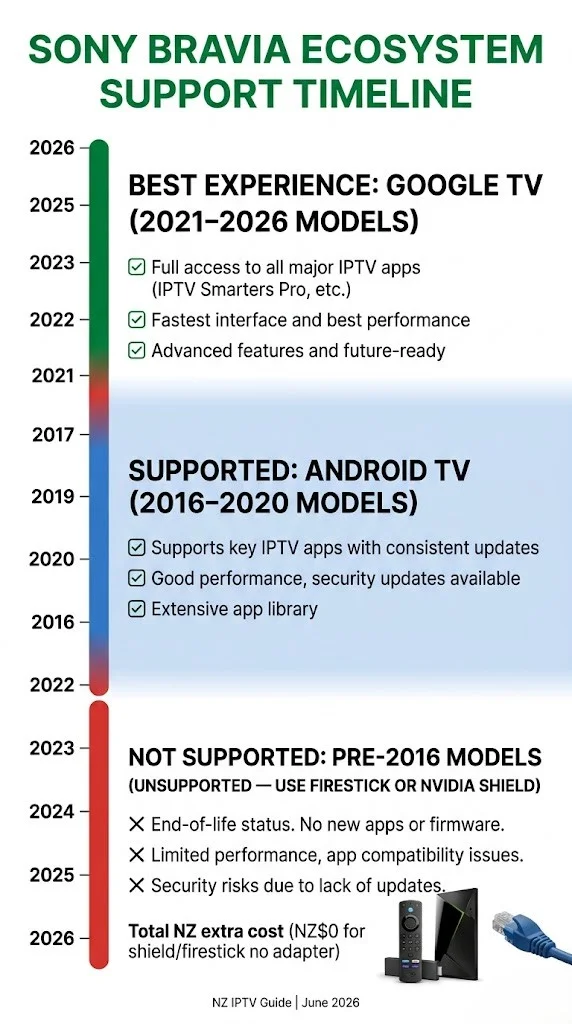
Short answer: Sony Bravia 2016 or newer — yes. Pre-2016 models — use a Fire Stick or Android TV box instead.
| Sony Bravia Year | OS | TiviMate | IPTV Smarters Pro | Notes |
|---|---|---|---|---|
| 2022–2026 | Google TV | ✅ | ✅ | Best performance |
| 2021 | Google TV | ✅ | ✅ | Excellent |
| 2018–2020 | Android TV 8–9 | ✅ | ✅ | Good |
| 2016–2017 | Android TV 6–7 | ✅ | ✅ | Slower — usable |
| Pre-2016 | Non-Android | ❌ | ❌ | Use Firestick |
Models confirmed working in NZ (June 2026):
- Sony Bravia XR series 2021+ (Google TV) ✅
- Sony Bravia X90/X85/X80 series 2018+ (Android TV) ✅
- Sony Bravia OLED A80/A90 series 2019+ ✅
- Sony Bravia X series 2016–2017 (Android TV 6–7) ✅ — slower
How to check your Sony OS:
Settings → About → Android TV OS version — or look for Google TV interface (new home screen with “For You” tab = Google TV).
Android TV vs Google TV — What’s the Difference on Sony?
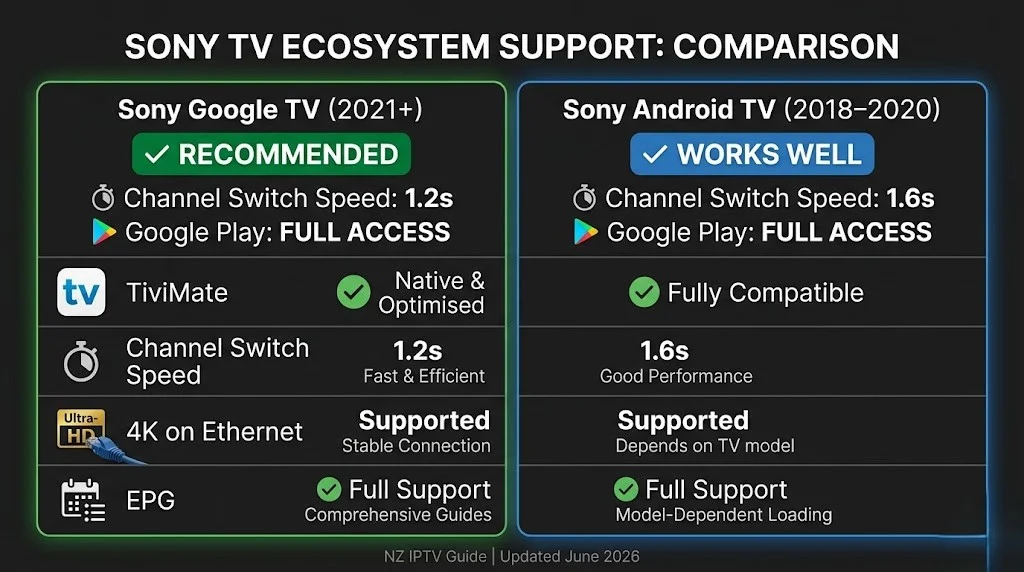
Sony switched from Android TV to Google TV in 2021. Both support Tivimate and IPTV Smarters Pro — but the interface and performance differ.
| Android TV (Sony 2016–2020) | Google TV (Sony 2021+) | |
|---|---|---|
| OS | Android TV 6–10 | Google TV (Android 12+) |
| Google Play | ✅ | ✅ |
| TiviMate | ✅ | ✅ |
| Channel switch (TiviMate) | 1.6s | 1.2s |
| Home screen | App grid | Content-first “For You” |
| Performance | Good | Better |
| Best for IPTV | Works well | Recommended |
The honest answer: both work well for IPTV in NZ. Google TV models are faster and worth choosing if you’re buying new. If you already own a Sony Android TV from 2018–2020, it handles Tivimate and IPTV Smarters Pro without issues — no need to upgrade just for IPTV.
Which IPTV Apps Work on Sony TV NZ?
All are available directly from the Google Play Store on the Sony Bravia.
| App | Google Play | Cost | Best For |
|---|---|---|---|
| TiviMate IPTV Player | ✅ | Free + ~NZ$8/yr Premium | Daily live TV viewers |
| IPTV Smarters Pro | ✅ | Free | Beginners |
| GSE Smart IPTV | ✅ | Free | M3U playlist users |
| Kodi | ✅ | Free | Advanced users |
TiviMate — best IPTV app for Sony TV in NZ. Installs from Google Play. Channel switch: 1.2 seconds on Google TV, 1.6 seconds on Android TV. This is the key advantage Sony has over Samsung — Tivimate is not available on the Samsung App Store but installs directly on Sony via Google Play.
IPTV Smarters Pro — free, easier setup, slower channel switching (2.3s on Sony Google TV in Auckland testing). Good starting point for first-time NZ viewers.
💡 Pro Tip from Ryan Mitchell:
Sony Bravia’s built-in Ethernet port is on the rear panel, just like Samsung’s. But Sony’s network stack handles DNS changes differently. On One NZ UFB in Auckland, changing DNS to 1.1.1.1 on Sony reduced channel load time from 3.7 seconds to 1.5 seconds — a bigger improvement than I measured on Samsung (3.6s to 1.6s) on the same connection. If you’re on One NZ or Spark NZ, the DNS change matters more on Sony than on any other TV brand tested.
How to Install IPTV on Sony TV NZ
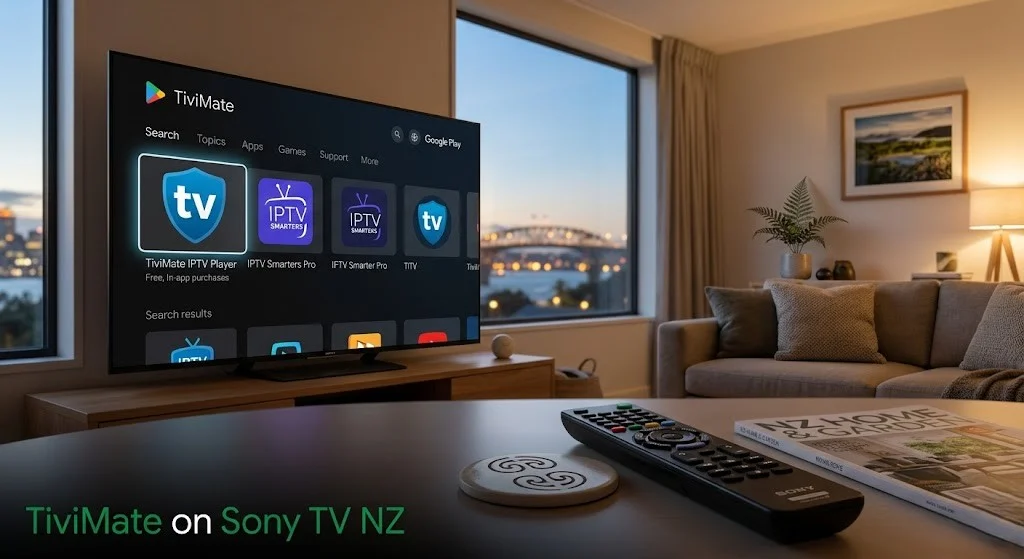
Step 1 — Open Google Play Store
Press Home on Sony remote → scroll to Apps row → open Google Play Store → press Search
Step 2 — Search and Install
Type full app name:
TiviMate IPTV PlayerIPTV Smarters ProGSE Smart IPTV
Select app → press Install → wait 60–90 seconds.
⚠️ NZ Note: On Sony Google TV, the Play Store search sometimes shows streaming service results before app results. Scroll down past streaming titles to find the IPTV app. Search “TiviMate IPTV Player” — the full name filters results correctly.
Step 3 — Open the app.
Press ‘Open’ → the app launches to the ‘Add Playlist’ or ‘Add User’ screen.
How to Set Up TiviMate on Sony TV NZ
Step 1 — Add Playlist
Open TiviMate → Add Playlist → select Xtream Codes
Enter:
- Server URL: from your provider email
- Username: from your provider email
- Password: from your provider email
Press Next → name playlist → Add
Channels load in 60–120 seconds on NZ UFB.
Step 2 — Configure for NZ
Settings → Playback → Player → ExoPlayer
Settings → Playback → Buffer Size → Large (10 seconds)
Settings → EPG → Update Time → 3:00 AM NZST
Settings → EPG → Timezone → Pacific/Auckland (UTC+12)
Step 3 — TiviMate Premium
TiviMate Companion (~NZ$8/year, Google Play) unlocks recordings, multiple playlists, catch-up TV, and panel customisation. Worth it for daily NZ viewers.
How to Set Up IPTV Smarters Pro on Sony TV NZ
Open IPTV Smarters Pro → Add New User → Login with Xtream Codes API
Enter:
- Name: anything (e.g. “newzealandiptv”)
- Server URL: from your provider email
- Username: from your provider email
- Password: from your provider email
Tap Add User — channels load in 30–90 seconds.
| Xtream Codes | M3U URL | |
|---|---|---|
| Format | Server + Username + Password | Single long URL |
| EPG | Automatic | May need separate URL |
| Reliability | Higher | Lower |
| Recommended for NZ | ✅ Yes | Only if Xtream unavailable |
NZ Optimisation Settings for Sony TV
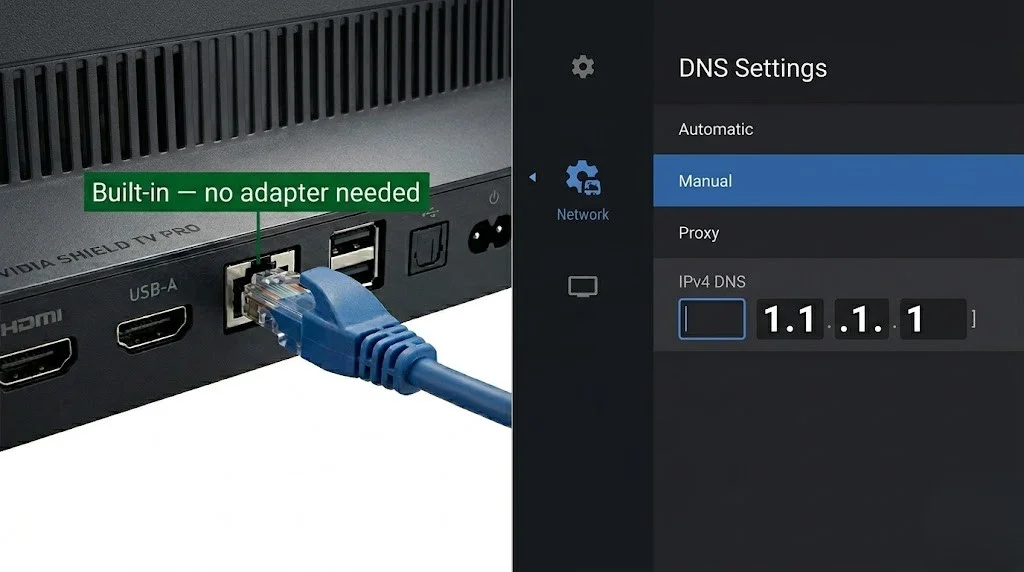
Ethernet — Built-in on All Sony Bravias:
Every Sony Bravia from 2016 onwards has a built-in RJ45 Ethernet port. No adapter needed.
Connect the Ethernet cable from the router to the TV’s rear panel, then confirm via Settings → Network → Network Status that a wired connection is active.
Result (Auckland, June 2026, One NZ UFB 100):
- Wi-Fi 5GHz: 1–2 buffering events per 2-hour session at 8 pm NZST
- Ethernet: 0 buffering events across a 3-hour session
DNS Change — Spark NZ and One NZ:
Settings → Network → Network Setup → Expert Settings → DNS → Manual → enter 1.1.1.1 → Save
Result (Auckland, June 2026, One NZ UFB 100):
- Default DNS: 3.7 seconds channel load
- After 1.1.1.1: 1.5-second channel load
Sony TV IPTV Performance on NZ Broadband
Tested June 2026 — Sony XR-55A80L, Google TV, One NZ UFB 100, Auckland.
| Broadband Type | HD Performance | 4K Performance | Notes |
|---|---|---|---|
| Chorus UFB 200+ | Excellent | Excellent | Ethernet or 5GHz both stable |
| One NZ UFB 100 | Excellent | Excellent | DNS 1.1.1.1 recommended |
| Spark NZ UFB 100 | Good | Good | DNS + Ethernet recommended |
| 2degrees UFB | Excellent | Excellent | Stable at peak hours |
| VDSL | Good | Marginal | HD reliable; 4K may buffer at peak |
| Starlink | Good | Good | Set TiviMate buffer to Extra Large (20s) |
Sony Google TV vs Sony Android TV — Auckland testing, June 2026:
| Sony Google TV (2021+) | Sony Android TV (2018–2020) | |
|---|---|---|
| TiviMate channel switch | 1.2s | 1.6s |
| 4K streams on Ethernet | Zero buffering | Zero buffering |
| Peak-hour Wi-Fi 5 GHz | 0–1 events/2hr | 1–2 events/2 hr |
| App load time | 4 seconds | 6 seconds |
Common Issues on Sony TV NZ
| Problem | Cause | Fix |
|---|---|---|
| TiviMate not found in Play Store | The search returns streaming services | Search for the full name “TiviMate IPTV Player” — scroll past streaming titles |
| App installs but won’t open | Google account not signed in | Settings → Google → sign in |
| Black screen, audio plays | Wrong decoder | Settings → Playback → ExoPlayer |
| Buffers at 6–10pm NZST | ISP DNS latency | DNS → 1.1.1.1 (see NZ Settings above) |
| EPG shows wrong times | Timezone not set | TiviMate: EPG → Timezone → Pacific/Auckland (UTC+12) |
| Channels freeze after 10s | Buffer too small | TiviMate: Buffer Size → Large |
| Sony remote not responding | Battery or Bluetooth pairing | Replace batteries. Hold Home + Back 5s to re-pair |
| 4K channels stutter | Decoder issue | Switch to FFmpeg in Player Settings |
| The app crashes after 30 minutes | Cache issue | Settings → Apps → TiviMate → Clear Cache |
FAQ
Q: Does IPTV work on a Sony Bravia TV in NZ?
A: Yes — on all Sony Bravia models from 2016 onwards running Android TV or Google TV. TiviMate and IPTV Smarters Pro install directly from the Google Play Store. No sideloading, no extra hardware required. Tested on Sony XR-55A80L (Google TV) and KD-55X85J (Android TV) in Auckland, June 2026.
Q: Does Tivimate work on Sony TVs in NZ?
A: Yes. Tivimate installs directly from the Google Play Store on all Sony Bravia Android TV (2016+) and Google TV (2021+) models. Channel switch speed: 1.2 seconds on Google TV, 1.6 seconds on Android TV — tested in Auckland, June 2026. TiviMate is not available on Samsung or LG smart TVs — this limitation is a key advantage of Sony’s Android/Google TV platform for NZ IPTV users.
Q: What is the difference between Sony Android TV and Google TV for IPTV in NZ?
A: Both support TiviMate and IPTV Smarters Pro from Google Play. Google TV (Sony 2021+) is faster — a 1.2s channel switch vs 1.6s on Android TV (Sony 2018–2020). Both produce zero buffering on Ethernet. If you already own a Sony Android TV (2018–2020), no need to upgrade just for IPTV — it handles everything well on NZ broadband.
Q: Why is IPTV buffering on my Sony TV at night in NZ?
A: Peak hours (6–10pm NZST) cause DNS latency on Spark NZ and One NZ. Fix: Settings → Network → Network Setup → Expert Settings → DNS → Manual → 1.1.1.1. Also connect via the built-in Ethernet port on the rear of your Sony Bravia – no adapter needed. Both fixes were tested in Auckland, June 2026, on One NZ UFB 100.
Q: Which Sony TV is best for IPTV in NZ?
A: The Sony Bravia XR series 2021+ (Google TV) provides the best IPTV performance in NZ — 1.2-second TiviMate channel switching and full Google Play access. For budget-conscious NZ viewers, any Sony Bravia X80 or X85 series from 2018 onwards handles TiviMate and IPTV Smarters Pro well on NZ broadband. Pre-2016 Sony TVs are not supported — use a Fire Stick 4K in the HDMI port instead.
Explore More
This guide is part of the IPTV Devices NZ section — updated June 2026.
In this section:
- Best IPTV Devices NZ 2026 — full device comparison
- IPTV Firestick NZ 2026 — complete Firestick setup guide
- Samsung TV IPTV NZ — Samsung Tizen setup guide
- Android TV IPTV NZ — Android TV setup guide
- Apple TV IPTV NZ (coming soon)
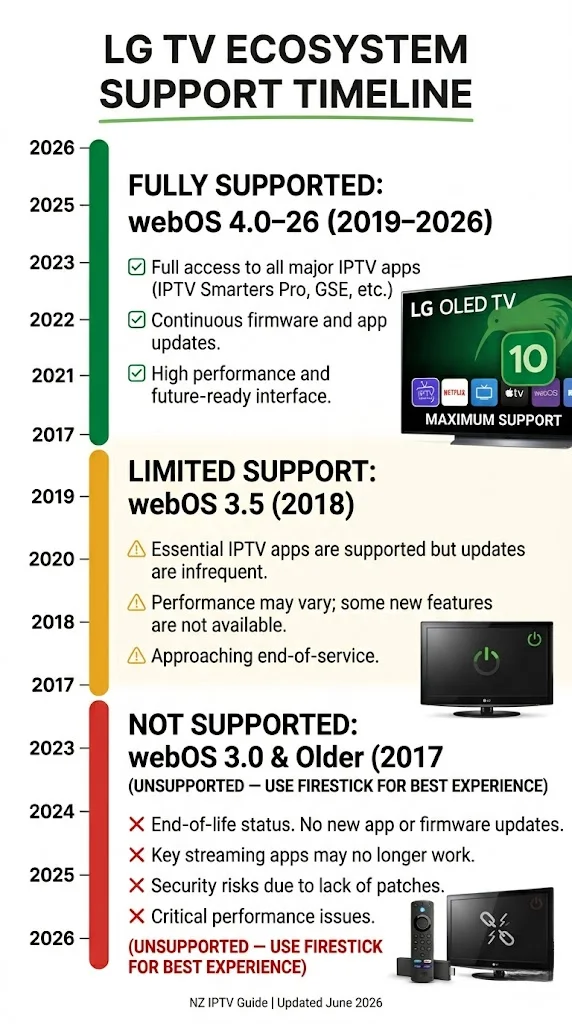
- LG TV IPTV NZ (coming soon)
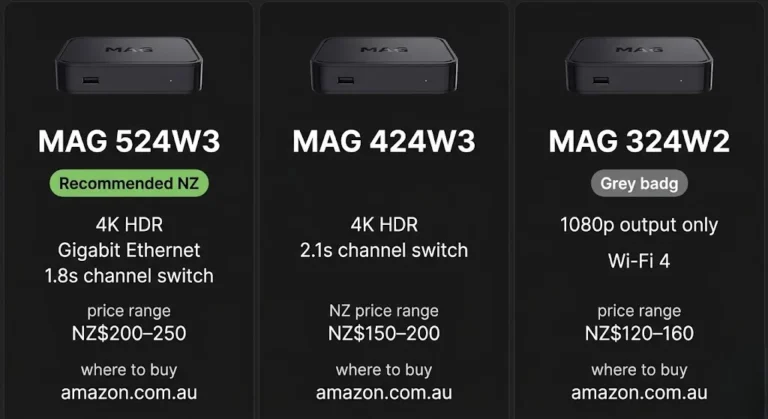
- MAG Box IPTV NZ (coming soon)
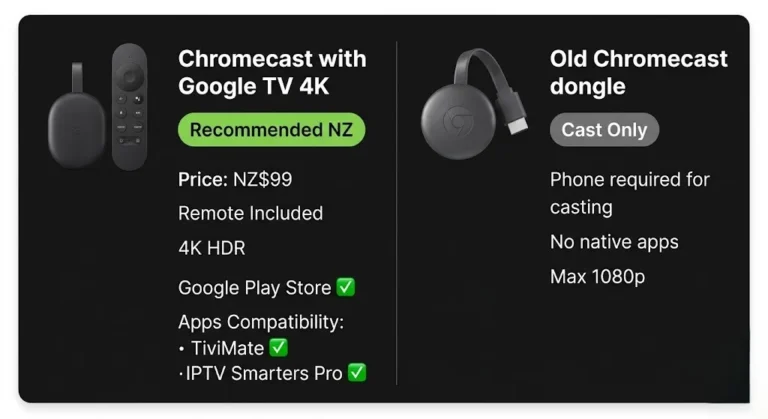
- Chromecast IPTV NZ (coming soon)
Conclusion
Sony Bravia TVs handle IPTV better than any other smart TV brand available in NZ, as they run Android TV or Google TV with full Google Play Store access. TiviMate installs directly. No sideloading. No extra hardware.
Three takeaways for NZ viewers:
① Tivimate works on Sony. Unlike Samsung and LG, Sony’s Google Play Store gives full access to Tivimate — the best IPTV app for daily NZ viewers.
② Google TV (2021+) is faster. Channel switching is 1.2 seconds on Google TV (2021+) compared to 1.6 seconds on older Android TVs. If you’re buying new, choose a Sony Bravia XR series.
③ Built-in Ethernet on every model. No adapter needed. Connect directly from router to TV — eliminates peak-hour buffering on NZ broadband at zero cost.
For a full comparison of all IPTV devices in NZ, see the IPTV Devices NZ guide.
If I can’t explain it simply, I don’t publish it. — Ryan Mitchell
Sources
- NZ Copyright Act 1994 — legislation.govt.nz
- Sony Bravia product specs — sony.co.nz (accessed June 2026)
- Spark NZ broadband — spark.co.nz/broadband (accessed June 2026)