
By Ryan Mitchell | Auckland | Updated June 2026
Most VPN-for-IPTV guides start by recommending a specific provider before answering the actual question. This one doesn’t, because the honest answer matters more: for most NZ viewers on Chorus UFB, Spark, or One NZ, you don’t need a VPN for IPTV at all.
That’s not the answer most affiliate-driven guides give, because they’re usually selling a VPN subscription. There are genuinely situations where a VPN helps — and this guide covers those situations honestly too. But starting with “you probably don’t need one” is a more useful place to begin than a top-five list.
Do I really need a VPN for IPTV in NZ?
For most NZ viewers on a licensed IPTV service over Chorus UFB, no. A VPN routes your traffic through an additional server, which adds latency rather than removing it — and it doesn’t address the actual causes of buffering, which are almost always Wi-Fi congestion, DNS delay, or router settings. A VPN is worth considering for privacy preference, accessing geo-restricted content, or in cases of confirmed ISP throttling on slower connection types.
⚖️ Legal Note
This guide covers general VPN use only, alongside IPTV setup. Always use licensed IPTV services that comply with the NZ Copyright Act 1994 — legislation.govt.nz. Using a VPN does not change the licensing status of any content you access.
This guide is part of the IPTV Setup NZ section. If your IPTV is buffering and you’re considering a VPN as the fix, see IPTV Buffering Fix NZ first — the actual cause is usually something else entirely.

Quick Answer
| Your Situation | Need a VPN? |
|---|---|
| Licensed IPTV on Chorus UFB | ❌ No — fix DNS and Wi-Fi instead |
| IPTV buffering or freezing | ❌ No — see the real causes first |
| Privacy preference (hiding viewing from ISP) | ✅ Optional, valid reason |
| Accessing region-locked content | ✅ Yes, this is what VPNs are actually for |
| Slower connection (VDSL) with confirmed throttling | ⚠️ Maybe confirm first |
| Just because a forum told you to | ❌ No |
Table of Contents
- Do You Really Need a VPN for IPTV in NZ?
- Will a VPN Fix IPTV Buffering? (The Honest Reasoning)
- When a VPN Genuinely Helps
- Is it legal to use a VPN with IPTV in NZ?
- IPTV VPN Compatibility — What to Check Before Choosing One
- Free VPN for IPTV NZ — Why This Is a Bad Idea
- How to Set Up a VPN With IPTV (If You Decide You Need One)
- FAQ
Do you actually need a VPN for IPTV in NZ?
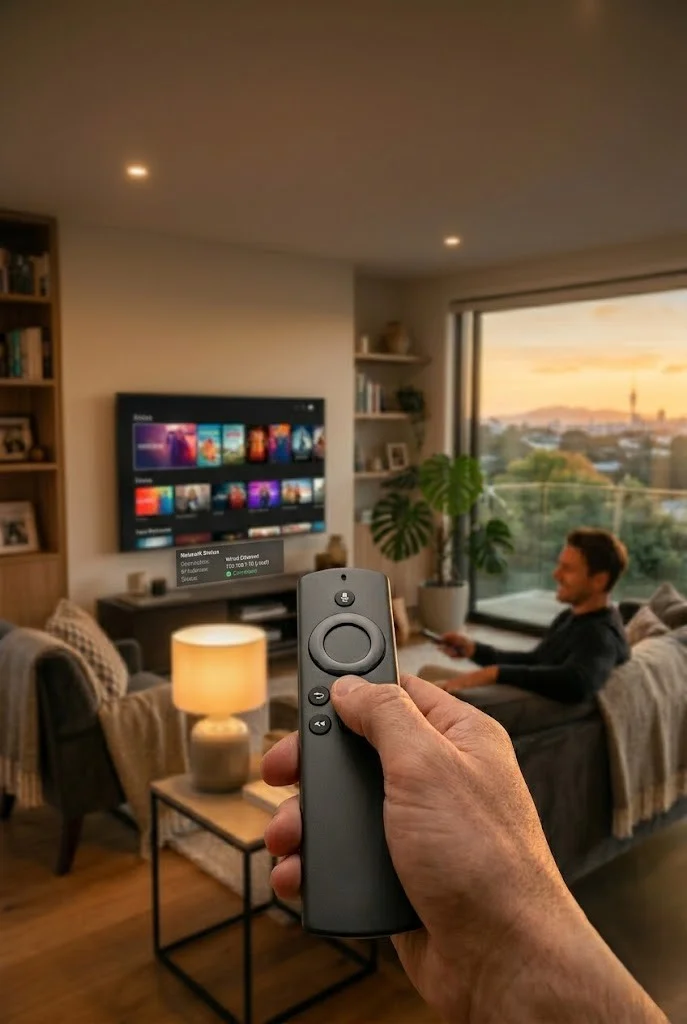
Short answer: probably not, and here’s the reasoning rather than just the claim.
A VPN does three things: it encrypts your traffic from your ISP, it changes your apparent location, and it adds at least some latency in the process — that last point is simply how VPNs work technically, not something that needs testing to establish. Routing traffic through an additional server before it reaches its destination always adds a hop, and every hop adds time.
None of those three things fix the actual causes of IPTV problems on NZ broadband. The most common reasons IPTV buffers, freezes, or disconnects in NZ are:
- 2.4GHz Wi-Fi congestion at peak hours
- DNS latency on Spark or One NZ connections
- Router settings (idle timeouts, IP reassignment)
- App-level buffer settings being too low
- Provider server load
A VPN addresses none of these directly. It doesn’t change your Wi-Fi signal strength, it doesn’t speed up DNS resolution (in fact it typically uses its own DNS, which may be slower than a direct connection to a reliable public resolver), and it doesn’t change how your router manages connections.
If you’ve landed here because your IPTV keeps buffering and someone told you a VPN would fix it, it’s worth checking IPTV Buffering Fix NZ or IPTV Keeps Disconnecting NZ first. In the vast majority of NZ cases, the actual fix is a DNS change or an Ethernet connection, not a VPN subscription.
Will a VPN Fix IPTV Buffering? (The Honest Reasoning)
This is the single most common reason NZ viewers search for a VPN, and the honest answer is almost always no — based on how the technology works, not on any specific test result.
Buffering happens when your device isn’t receiving stream data fast enough or consistently enough. A VPN doesn’t increase your underlying connection speed. By design, a VPN can only add overhead, never remove it, because your traffic travels through an extra point before reaching the IPTV server instead of going there directly.
On a fast UFB connection that’s already well above the speed an IPTV stream needs, that added overhead is unlikely to be the difference between buffering and not buffering — but it can make channel switching feel marginally slower.
The one narrow exception is if your specific ISP is genuinely throttling traffic to a specific IPTV provider’s servers based on traffic type or destination; in that case, a VPN can sometimes route around that by disguising the traffic so it looks like ordinary encrypted browsing rather than a recognisable stream. Such behaviour does occur on some connection types internationally.
No NZ ISP (Spark, One NZ, 2degrees, or Chorus) has a published policy of traffic-shaping IPTV-specific traffic, which makes this scenario the exception rather than the likely explanation for buffering in NZ.
Before considering a VPN for buffering, rule out the actual common causes:
| Cause | Fix | Guide |
|---|---|---|
| DNS latency | Change to 1.1.1.1 | IPTV Buffering Fix NZ |
| Wi-Fi congestion | Switch to Ethernet | IPTV Buffering Fix NZ |
| Repeated disconnections | Router idle timeout, static IP | IPTV Keeps Disconnecting NZ |
| App buffer too small | Increase buffer in app settings | IPTV Freezing Firestick NZ |
If you’ve genuinely worked through all of these and buffering persists specifically and consistently, that’s the point where testing a VPN yourself becomes a reasonable next step, not the first one.
💡 From Ryan Mitchell:
The most common pattern I see in NZ is someone adding a VPN at the same time they happen to restart their router or change another setting — and then crediting the VPN for a fix that the router restart actually caused. If you want to genuinely find out whether a VPN helps your specific setup, isolate one variable at a time. Change the DNS first and test for a day on its own. Then try Ethernet; test again on its own. Only add a VPN into the mix once you’ve ruled out everything else individually — and if you do test it, a simple speed test and a few minutes of normal viewing before and after will tell you more than any generic claim in an article like this one.
When a VPN Genuinely Helps

There are real, valid reasons to use a VPN alongside IPTV. None of them are about fixing buffering.
Privacy from your ISP. A VPN encrypts your traffic so your ISP can’t see what you’re streaming. This is a legitimate personal preference regardless of what you’re watching and doesn’t require any particular justification.
Accessing geo-restricted content. Some IPTV providers offer region-specific channel packages, or you may want to access content licensed for a different region while travelling. This is what VPNs are actually designed for — masking your apparent location.
Confirmed throttling on slower connections. Some international ISPs have been documented limiting bandwidth for certain traffic types on VDSL or older copper-based connections, which are less common in New Zealand now that the UFB rollout is largely complete. If you’ve confirmed — not assumed — that throttling is happening on your specific connection, a VPN is a reasonable thing to test.
Using public or shared Wi-Fi. If you’re watching IPTV away from home on a network you don’t control, a VPN adds a layer of protection that’s genuinely useful regardless of IPTV specifically.
Is it legal to use a VPN with IPTV in NZ?
Using a VPN is legal in New Zealand. There is no law restricting VPN use for general internet purposes, including streaming.
What a VPN does not do is change the licensing status of the content you’re accessing. If an IPTV service is operating without proper licensing for the content it distributes, using a VPN alongside it doesn’t make that content legal — it simply changes your apparent network location. Always use licensed IPTV services compliant with the NZ Copyright Act 1994.
This distinction matters because some forum discussions conflate “Is a VPN legal?” with “Does a VPN make IPTV legal?” — these are two separate questions, each with its own answer. The first is yes. The second depends entirely on the licensing of the specific service you’re using, not on whether a VPN is involved.
IPTV VPN Compatibility — What to Check Before Choosing One
If you’ve decided a VPN is right for your situation—privacy, geo-access, or confirmed throttling—here’s what actually is relevant for IPTV use specifically, rather than general VPN marketing claims.
Device app support. Check whether the VPN has a native app for your specific streaming device — Fire Stick, Android TV, or your router. Not all VPN providers support every platform directly.
Router-level installation, if needed. If your IPTV device doesn’t support VPN apps natively (this includes MAG boxes and many Smart TV built-in apps), the VPN needs to be installed at the router level instead, covering your whole home network.
Protocol speed. WireGuard-based protocols generally add noticeably less overhead than older OpenVPN configurations, which is relevant for live streaming where consistent throughput is more important than raw top speed.
Simultaneous connections. If you’re running IPTV on multiple devices in the household, check the VPN’s device limit rather than assuming “unlimited” claims apply equally across all third-party plans.
Kill switch. A kill switch cuts your internet connection if the VPN drops, rather than silently reverting to your unprotected connection. This feature matters more for privacy use cases than for streaming itself.
Free VPN for IPTV NZ — Why This Is a Bad Idea
Free VPNs come up often in searches, and it’s worth addressing directly why their use is generally a poor choice for IPTV specifically.
Free VPN services typically have far fewer servers, heavily oversubscribed bandwidth, and data caps that make sustained video streaming impractical. The latency that comes from routing through any VPN is more pronounced on a free service, because the same limited server capacity is shared across far more simultaneous users than a paid provider would allow.
There’s also a separate concern: many free VPN providers monetise through data collection or ad injection, which works against the privacy reasoning that’s one of the legitimate reasons to use a VPN in the first place. If privacy is your actual goal, a free VPN with an unclear data policy can be counterproductive.
If cost is the deciding factor, most reputable paid VPN providers offer monthly plans without long-term commitment, which is a more practical middle ground than a free service with hidden trade-offs.
How to Set Up a VPN With IPTV (If You Decide You Need One)
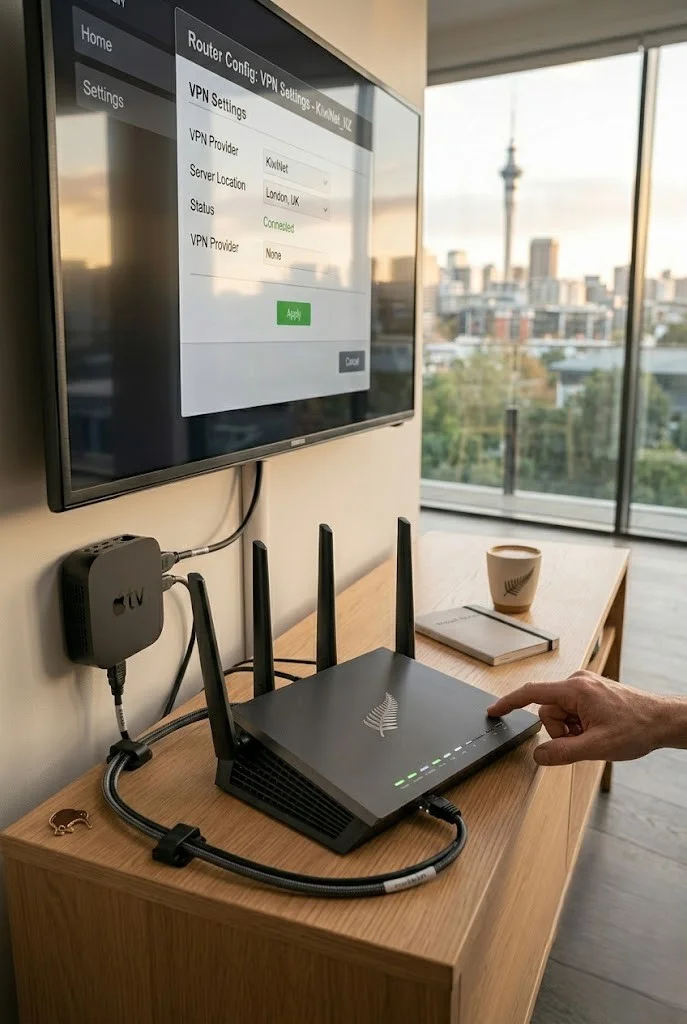
If you’ve worked through the reasoning above and a VPN genuinely fits your situation, here’s the general setup approach.
On a device that supports VPN apps directly (Firestick, Android TV):
Install your chosen VPN app from the relevant app store → log in → connect to a server in your desired location → open your IPTV app as normal.
On a device that does not have native VPN support (MAG box, Smart TV built-in apps):
You’ll need to configure the VPN at the router level instead. This routes all traffic on your home network through the VPN, not just your IPTV device specifically. Check your router’s compatibility with your chosen VPN provider — not all routers support VPNs without additional configuration or VPN-compatible firmware.
Choosing a server location:
A server geographically closer to your usual IPTV server location generally adds less latency than one further away. For most NZ-based IPTV use, an Australian server is typically a shorter physical hop than routing through the US or Europe — simply because it’s closer, not because of anything specific to IPTV.
⚠️NZ Note: This guide doesn’t recommend or endorse any specific VPN provider. Pricing, server locations, and feature sets change frequently — verify current details directly with any provider before subscribing.
FAQ
Q: Do I need a VPN for IPTV in NZ?
A: For most NZ viewers using a licensed IPTV service on a UFB connection, no. The common causes of IPTV problems — buffering, freezing, disconnections — almost always relate to Wi-Fi, DNS, or router settings, none of which a VPN fixes. A VPN adds an extra routing hop, which can only add latency, not remove it. A VPN is worth considering for privacy preference or accessing geo-restricted content, not as a general troubleshooting step.
Q: Will a VPN stop my IPTV from buffering?
A: Generally no. A VPN doesn’t increase your underlying connection speed, and routing through an additional server can only add overhead, never remove it. You can fix the actual causes of buffering on NZ broadband – DNS latency, Wi-Fi congestion, and app buffer settings – by addressing those directly. For the real fixes, see IPTV Buffering Fix NZ.
Q: Is it legal to use a VPN with IPTV in New Zealand?
A: Yes, using a VPN is legal in NZ for any general internet purpose. However, a VPN does not change the licensing status of content you’re accessing — if an IPTV service distributes content without proper licensing, using a VPN alongside it doesn’t make that legal. Always use licensed services compliant with the NZ Copyright Act 1994.
Q: Is there a free VPN that works well for IPTV?
A: Generally not recommended. Free VPN services have limited servers, oversubscribed bandwidth, and often data caps that make sustained live streaming impractical. The shared server capacity of free services tends to add more noticeable delay than a paid VPN would, and many free providers monetise through data collection, which undermines the privacy reasoning that is often the actual motivation for using a VPN in the first place.
Q: What should I look for in a VPN for IPTV specifically?
A: Native app support for your streaming device (or router-level compatibility if your device doesn’t support VPN apps directly), a fast protocol like WireGuard rather than older configurations, an adequate simultaneous connection limit for your household’s devices, and a kill switch if privacy is your primary reason for using one.
Explore More — IPTV Setup NZ
This guide is part of the IPTV Setup NZ section.
Related troubleshooting (the actual fixes for most buffering):
Setup guides:
Conclusion
A VPN is a privacy and access tool, not an IPTV performance fix. For most NZ viewers on Chorus UFB, Spark, or One NZ, the buffering and connection problems that lead people to search for a VPN are actually caused by something else entirely — and the reasoning for that holds regardless of which specific VPN someone tries.
Three things to keep in mind:
① Rule out the real causes first. DNS, Wi-Fi, and router settings cause far more NZ IPTV problems than anything a VPN addresses. A VPN adds a routing hop — by definition, that can only slow things down, not speed them up.
② A VPN doesn’t change content legality. It changes your apparent location and encrypts your traffic — nothing more. Licensing status depends on the provider, not on whether you’re using a VPN.
③ If you do need one, skip the free options. The bandwidth and server limitations of free VPNs make them a poor fit for live streaming specifically.
For the actual fixes to IPTV buffering and connection issues, see IPTV Buffering Fix NZ.
If I can’t explain it simply, I don’t publish it. — Ryan Mitchell
Sources
- NZ Copyright Act 1994 — legislation.govt.nz
- Spark NZ broadband — spark.co.nz/broadband (accessed June 2026)