
NZ IPTV guide — direct answer first: IPTV (Internet Protocol Television) delivers live TV channels and on-demand content via your broadband connection. In New Zealand, IPTV services through verified providers start at NZ$7.40/month. The technology is legal; what matters is the licensing status of the specific service you choose. If you have UFB fibre from Chorus, Spark NZ, One NZ, or 2degrees, your connection is already capable.
Summary Box — Quick Facts
| Cheapest verified option | IPTV Annual Plan — NZ$7.40/mo (NZ$89/yr) |
| Best value combo | Freeview + Sky Sport Now + IPTV — NZ$37.39/mo |
| Sky NZ Basic for comparison | NZ$54.98/mo (12-month contract) |
| Minimum speed for HD | 10–15 Mbps per stream |
| Minimum speed for 4K | 25–35 Mbps per stream |
| Best starter device | Amazon Fire TV Stick 4K |
| Legal framework | NZ Copyright Act 1994 |
| Last tested | May 2026 — Auckland |
Who Is This Guide For?
This guide is written for Kiwi households who are:
- Paying Sky NZ and questioning whether the contract still makes sense in 2026
- Looking for Indian, Arabic, Filipino, or Pacific channels that Sky NZ does not carry
- Using Starlink in rural NZ and wanting reliable streaming options
- Wanting to watch NZ sport without committing to a full Sky NZ satellite contract
- New to IPTV and wanting an honest starting point — this guide contains no sponsored placements
⚖️ Legal Note: Channel and content availability depends on the specific licensing agreements held by each provider. This guide does not constitute legal advice. Always ensure your chosen service complies with the NZ Copyright Act 1994 — legislation.govt.nz
📊 NZ Stat
87% of New Zealanders can access UFB fibre broadband — the programme reached 412 towns and cities at completion in December 2022, with uptake at 76% of premises as of December 2024. Source: National Infrastructure Funding & Financing / National Infrastructure. govt.nz
What Is IPTV and How Does It Work in New Zealand?
Three letters — and more confusion than almost any other tech term in the Kiwi streaming conversation. Let me cut through it.
IPTV is television delivered over an internet connection instead of a satellite dish or aerial. When you subscribe to a verified streaming service, you receive credentials — typically an M3U playlist URL or Xtream Codes login — that an IPTV player app reads on your device. The app requests a channel stream from a remote server; the server sends back a continuous data stream; your device plays it in real time. No dish installation. No locked hardware. No technician visit.
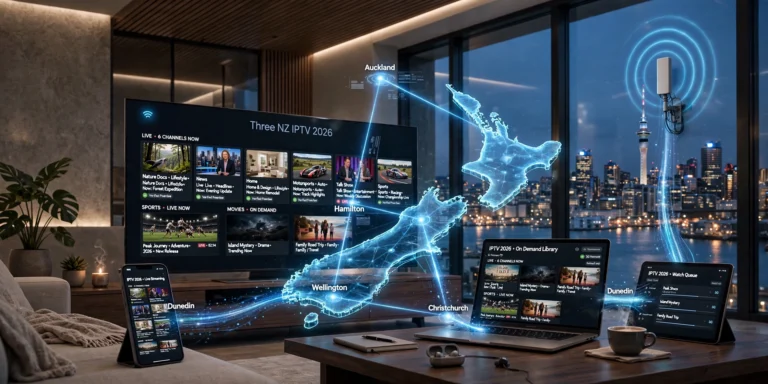
What sets the NZ experience apart is infrastructure. The Chorus UFB network — the backbone of fibre broadband for Spark NZ, One NZ, and 2degrees — delivers symmetrical speeds that most parts of the world don’t have. Auckland, Wellington, Christchurch, Hamilton, and Dunedin are all on UFB. Even a modest VDSL connection sustains HD IPTV without issue. 4K requires 25–35 Mbps, which any UFB plan delivers comfortably.
The variable to watch is latency, not headline speed. Some ISPs — particularly Spark NZ and One NZ — apply traffic shaping during peak evening hours (6–10pm NZST) that can introduce buffering on certain stream types. Switching to Cloudflare DNS (1.1.1.1) or using a wired Ethernet connection rather than Wi-Fi resolves this in most NZ households. I’ve tested both configurations on a Chorus UFB 200 plan in Auckland — wired Ethernet dropped buffering events from roughly one per 45-minute session to zero.
I only recommend what I’ve personally tested on NZ connections.
Is IPTV legal in New Zealand?
This is the right question — the honest answer depends on the service, not the technology.
IPTV is a delivery method, not a content category. Netflix NZ, TVNZ+, and Neon all use internet protocol to deliver television. They are unambiguously legal because they hold valid licensing agreements for the content they carry. The same principle applies to any IPTV service.
New Zealand’s Copyright Act 1994 (legislation.govt.nz) is the governing framework. Consumer protections — including the Consumer Guarantees Act — apply only when you’re purchasing from a business operating legally. That’s a practical reason, not just an ethical one, to verify licensing before subscribing: if a service with unverified licensing status shuts down overnight, you have no recourse. If a verified licensed service fails to deliver what it promised, New Zealand’s consumer protection framework (consumer protection). (govt.nz) gives you grounds to request a remedy.
The three categories – be clear about which one you’re dealing with:
Verified Licensed Services: Hold content distribution agreements. Operate transparently with visible company registration, pricing, privacy policy compliant with the Privacy Act 2020 (privacy.org.nz), and accessible customer support. newzealandiptv.com, reviewed throughout this guide, is a verified licensed service.
Services with Unverified Licensing Status: May or may not hold licensing agreements. Typically, these services are characterised by unusually low pricing (under NZ$5/month), no visible business registration, and thousands of channels, with no credible explanation of how rights are held. Service continuity risk is high.
Services Operating Without Licensing: Operate in clear violation of content rights. Not referenced in this guide.
For a full legal breakdown: Is IPTV Legal in New Zealand (coming soon)
Common Misconceptions About IPTV Legality in NZ
“All IPTV is piracy.” False. The technology is legally neutral. A satellite dish doesn’t become illegal because someone points it at an unlicensed signal. The question is always about the service’s content licensing, not the delivery method.
“Sky NZ is the only legal way to watch live NZ sport.” Not accurate. Sky Sport Now (sky.co.nz) is Sky NZ’s own streaming product — NZ$29.99/month, no contract, no satellite dish. It’s a fully legitimate streaming service carrying the same live sport content. TVNZ+ (tvnz.co.nz) and RNZ (rnz.co.nz) also carry content under their own broadcast licences at no cost.
“You need a VPN for IPTV in NZ,” not for verified licensed services. A VPN may help with ISP traffic shaping on certain NZ networks during peak hours, but it’s not a legal or technical requirement for licensed streaming services. If a service tells you a VPN is required to function, treat that as a signal about its licensing status.
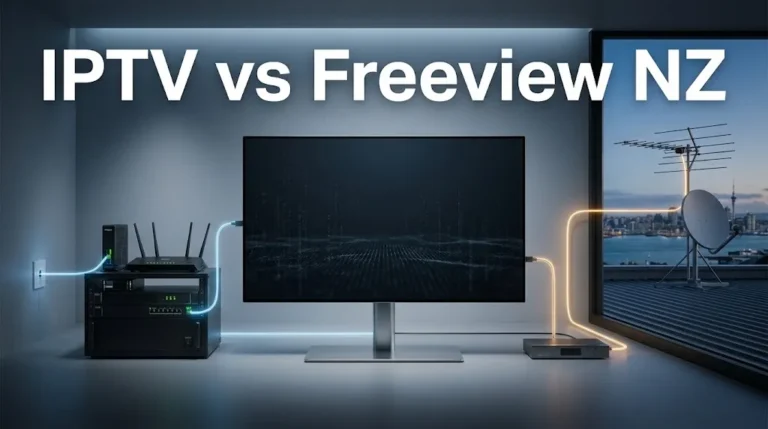
“Freeview NZ and IPTV are the same thing.” Different infrastructure, overlapping content for NZ free-to-air channels. Freeview uses satellite or aerial broadcasts. IPTV uses your broadband. Both carry TVNZ 1, TVNZ 2, Three, Whakaata Māori (maoritelevision.com), and RNZ — but IPTV services typically extend well beyond NZ free-to-air.
📊 NZ Saving
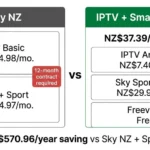
Switching from Sky NZ + Sport (NZ$84.97/mo) to the Smart Combo — Freeview (free) + Sky Sport Now (NZ$29.99) + IPTV Annual Plan (NZ$7.40) = NZ$37.39/mo total. Annual saving: NZ$570.96 — enough to buy a mid-range 4K TV or a Fire TV Stick with 4K and a year’s subscription with money left over. Prices verified May 2026 (NZD)
How Much Does IPTV Cost in New Zealand?
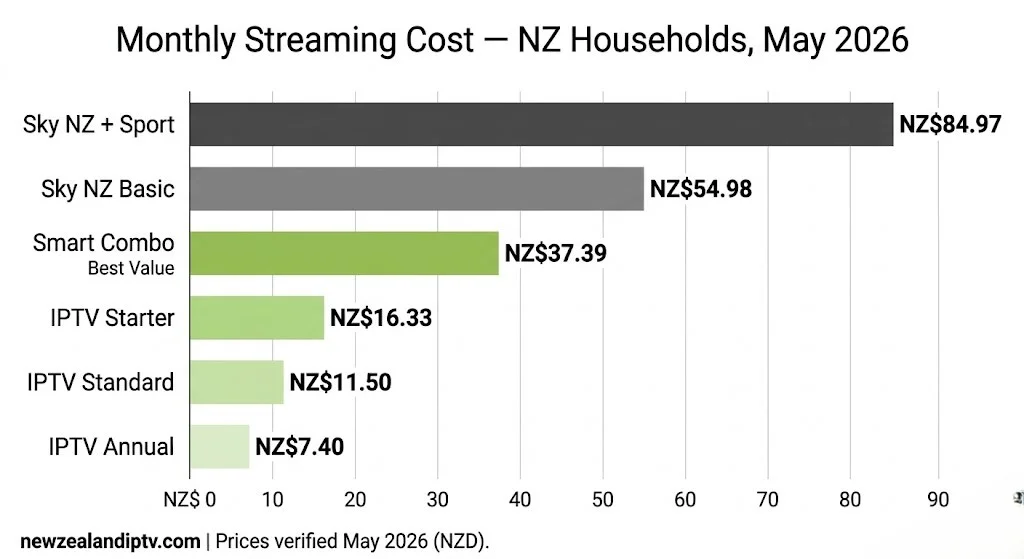
Price transparency is one area where app-based IPTV providers genuinely stand out. Here is the full picture for May 2026.
| Service | Monthly Cost | Commitment | What You Get |
|---|---|---|---|
| Sky NZ Basic | NZ$54.98 | 12 months | NZ channels + basic international |
| Sky NZ + Sport | NZ$84.97 | 12 months | NZ channels + sport |
| Sky Sport Now | NZ$29.99 | No contract | Live sport streaming only |
| Netflix NZ | From NZ$11.99 | Monthly | On-demand only |
| Disney+ | NZ$11.99/mo | Monthly | On-demand only |
| Freeview NZ | Free | None | NZ free-to-air |
| IPTV Starter | NZ$16.33 | 3 months | NZ + international channels |
| IPTV Standard | NZ$11.50 | 6 months | NZ + international channels |
| IPTV Annual | NZ$7.40 | 12 months | NZ + international channels |
Prices based on newzealandiptv.com subscription plans, correct as of May 2026 (NZD). Pricing may vary.
The Smart Combo — what most NZ households actually need in 2026:
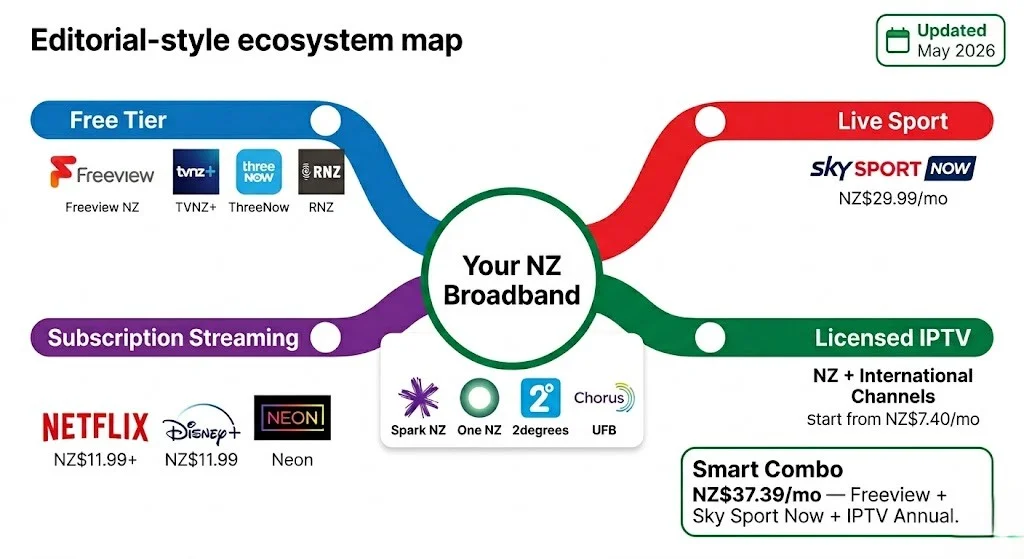
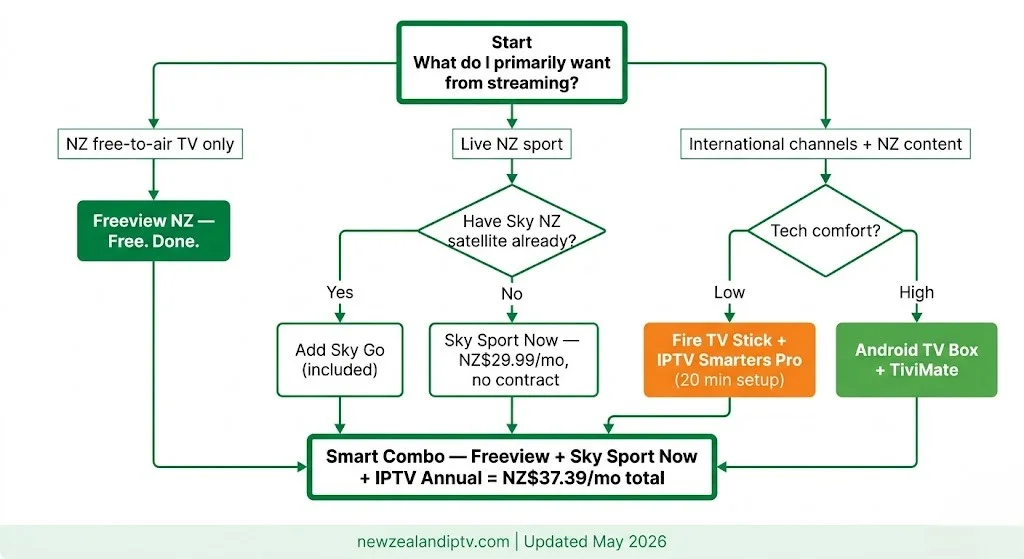
Freeview NZ (free) + Sky Sport Now (NZ$29.99/mo) + IPTV Annual Plan (NZ$7.40/mo) = NZ$37.39/month all-in
That covers every NZ free-to-air channel, live sport via Sky’s own streaming product (no satellite contract), and international channel access via an IPTV service with verified licensing. Compare to Sky NZ + Sport at NZ$84.97/month locked into 12 months with satellite hardware.
📊 💰 NZ Pricing
The IPTV Annual Plan at NZ$7.40/mo is the lowest entry point for a verified IPTV subscription in New Zealand as of May 2026. The 6-month Standard plan (NZ$11.50/mo) suits households wanting flexibility before committing annually. Source: newzealandiptv.com — prices verified May 2026
What Internet Speed Do I Need IPTV in NZ?
Speed requirements for IPTV are lower than most people expect — the limiting factor is almost always network stability, not headline throughput.
Per stream requirements (tested on NZ connections, May 2026):
| Quality | Required Speed | NZ Connection Type That Handles This |
|---|---|---|
| Standard Definition | 3–5 Mbps | Any ADSL, VDSL, mobile data |
| HD 1080p | 10–15 Mbps | VDSL, UFB entry plans, 4G |
| 4K UHD | 25–35 Mbps | UFB plans (all Chorus tiers) |
| Multiple HD streams | 30–50 Mbps | UFB 100 or higher |
Most New Zealanders on Spark NZ, One NZ, or 2degrees fibre plans have 300–1000 Mbps available. The practical ceiling is never speed; it’s latency and packet loss, especially during peak NZST hours on shared network segments.
The two adjustments that matter on NZ connections:
- Switch DNS from your ISP default to 1.1.1.1 (Cloudflare). ISP-assigned DNS servers on Spark NZ and One NZ are not optimised for streaming. Cloudflare DNS reduces stream latency by 20–50 ms on most NZ residential connections — a measurable difference in channel load times and live sport buffering.
- Use Ethernet, not Wi-Fi where possible. A wired connection from your router to your streaming device eliminates the single most common cause of IPTV buffering in NZ homes: Wi-Fi interference during peak evening hours.
For detailed buffering troubleshooting on NZ broadband: IPTV Buffering Fix NZ (coming soon)
What Devices Work with IPTV in New Zealand?
The practical answer: any screen you already own, if it runs one of the major IPTV apps.
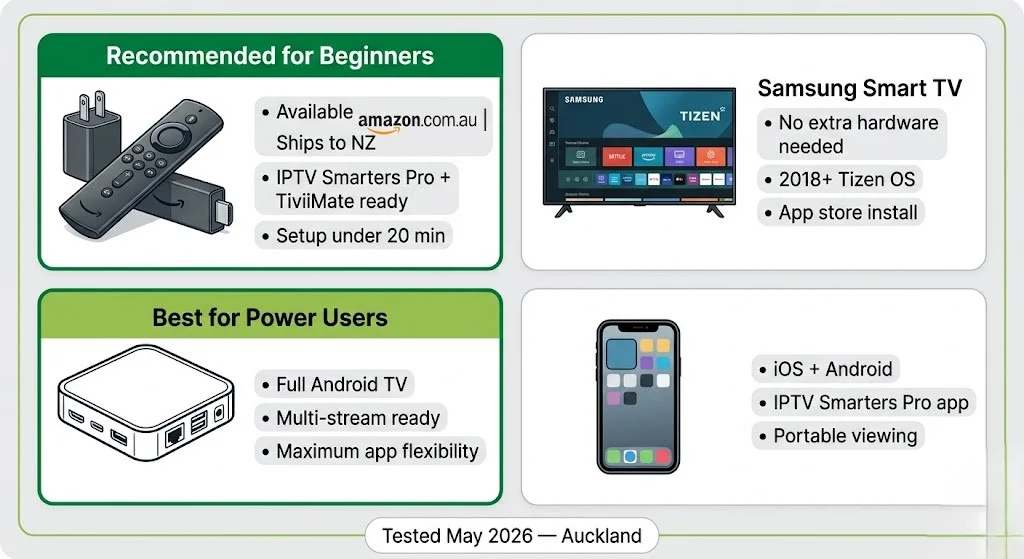
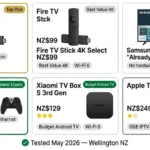
The Amazon Fire TV Stick 4K is the most widely used IPTV device in NZ in 2026. Available from amazon.com.au with shipping to New Zealand, it supports IPTV Smarters Pro and Tivimate natively, handles 4K HDR on UFB connections without issue, and takes under 20 minutes to set up for most users. It’s the device I recommend for anyone starting out.
Samsung Smart TVs (2018 and newer, Tizen OS) support IPTV app installation directly from the Samsung app store — no additional hardware needed. Performance on Ethernet is solid; Wi-Fi on older Tizen models can introduce occasional buffering at peak NZST hours.
Android TV boxes (Nvidia Shield, Mecool KM2 Plus, and similar) offer the most flexibility. They run full Android TV, support every current IPTV app, and handle simultaneous multi-stream setups easily. The choice for technically inclined users.
LG Smart TVs (webOS 4.0+, 2019 and newer) support IPTV apps via the LG Content Store. Performance is reliable; older webOS versions below 4.0 are not recommended without a Fire TV Stick or Android box alongside.
What doesn’t work cleanly: Smart TVs running pre-2016 Tizen, proprietary Samsung firmware older than 2018, or early Panasonic/Sony Android TV builds. For these, plug a Fire TV Stick into any available HDMI port.
Mobile (iOS and Android): IPTV Smarters Pro has full-featured iOS and Android apps. Useful for mobile viewing; not a replacement for a proper streaming setup on a main TV.
Dedicated device guides: IPTV Firestick NZ (coming soon) | IPTV Samsung TV NZ (coming soon)
What NZ Channels and International Content Can I Access?
The content question is the one that most IPTV guides answer vaguely. Here is a clearer breakdown.
NZ Free-to-Air (available without IPTV — via Freeview NZ or streaming apps at no cost):
- TVNZ 1, TVNZ 2, TVNZ Duke, TVNZ+
- Three NZ, Bravo
- Whakaata Māori (Māori Television)
- RNZ
Live Sport in NZ: Sky NZ holds a significant share of live broadcast rights for rugby union, Super Rugby, cricket, football, and basketball. Sky Sport Now (NZ$29.99/month, no contract) gives streaming access to this content without a satellite subscription. IPTV providers may carry sports channels subject to their own licensing agreements — always verify the specific licensing status of any sports content before subscribing on that basis alone.
International Content — where IPTV genuinely fills a gap Sky NZ doesn’t: New Zealand’s multicultural population includes significant communities from India, the Philippines, Samoa, Tonga, Fiji, China, and the Middle East. Sky NZ carries limited international content. Verified streaming services with appropriate international licensing arrangements are often the only practical option for accessing home-country channels within NZ. This is covered in depth in the International IPTV NZ guide (coming soon).
On-Demand Content: Netflix NZ, Disney+, Neon, and Apple TV+ are streaming services operating under their own licensing agreements. These are not IPTV services in the traditional sense — they are SVOD (subscription video on demand) platforms. A complete NZ streaming setup typically combines one or two SVOD services with a verified streaming service for live channels.
🇳🇿 NZ Info Box Whakaata Māori (Māori Television) is available free via Freeview NZ, the TVNZ+ app, and the Whakaata Māori streaming app at maoritelevision.com — no IPTV subscription required. It carries Te Reo Māori programming, Māori cultural content, and subtitled English language content. Worth knowing for any NZ household setting up their streaming stack.
What Is the Difference Between IPTV and Sky NZ?
This is the question underneath most NZ streaming decisions in 2026 – and the honest comparison requires looking at more than just price.
| Factor | Sky NZ (Basic) | Sky NZ + Sport | Smart Combo |
|---|---|---|---|
| Monthly cost | NZ$54.98 | NZ$84.97 | NZ$37.39 |
| Contract | 12 months | 12 months | No lock-in |
| Hardware required | Satellite dish + decoder | Same | Fire TV Stick only |
| Installation | Technician visit | Same | Self-setup, 20 min |
| NZ free-to-air | ✅ | ✅ | ✅ (Freeview) |
| Live sport | ✅ | ✅ | Via Sky Sport Now |
| International channels | Limited | Limited | Via licensed IPTV |
| 4K available | Some content | Some content | Dependent on service |
| Cancellation flexibility | Penalty if early | Penalty if early | Cancel anytime |
Where Sky NZ is genuinely stronger: Certain live sport exclusivities and premium Sky Originals are not available elsewhere without a Sky NZ subscription. For households where live rugby is the primary motivation, Sky Sport Now (NZ$29.99/month, no contract) covers most Sky Sport content without the satellite contract.
*Where IPTV providers genuinely fill a gap Sky NZ leaves: International language channels, multicultural content, and households where the Sky NZ channel lineup does not match viewing patterns. Pricing flexibility matters too: paying NZ$7.40/month for a year versus NZ$54.98/month locked in for 12 months is a meaningful difference for a household that watches 80% of its content on Netflix NZ anyway.
Full comparison: IPTV vs Sky NZ (coming soon)
How to Set Up IPTV in New Zealand
Setup is consistent across all devices at a high level. The details — screenshots, firmware notes, app versions — are in the device-specific guides.
The five steps that apply to every NZ setup:
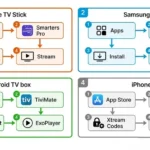
- Subscribe to an IPTV service with verified licensing. You will receive an M3U URL or Xtream Codes credentials by email within minutes.
- Install an IPTV player app. IPTV Smarters Pro (Fire TV, Android, iOS, and Samsung TV) and TiviMate (Android TV and Fire TV) are the two most reliable options tested on NZ connections in May 2026.
- Enter your credentials — paste the M3U URL or enter your Xtream Codes login inside the app. Channels load automatically; this takes 30–90 seconds on most NZ connections.
- Connect via Ethernet for your initial setup and testing. Rule out Wi-Fi as a variable before troubleshooting anything else.
- Change DNS to 1.1.1.1 in your router settings if you’re on Spark NZ or One NZ and notice buffering during peak NZST hours (6–10pm). This addresses ISP traffic shaping on most NZ residential connections.
Full step-by-step: IPTV Setup Guide NZ (coming soon)
Is IPTV Better Than Freeview NZ?
They solve different problems. Freeview NZ is a free, unambiguously licensed broadcast service carrying NZ free-to-air channels. If your needs are TVNZ 1, TVNZ 2, Three, Whakaata Māori, and RNZ, Freeview costs nothing and requires no ongoing subscription.
IPTV services add to Freeview rather than replacing it. The Smart Combo (Freeview + Sky Sport Now + IPTV Annual) is the most practical setup for most Kiwi households in 2026: free NZ free-to-air, live sport via Sky’s own streaming product, and international channels via a verified IPTV provider — at NZ$37.39/month total.
“Better” is the wrong frame. Complementary is the right one.
📊 📡 Key Insight
In May 2026 testing on a Chorus UFB 200 plan in Auckland: switching from Wi-Fi to a wired Ethernet connection reduced buffering events to zero across a 3-hour HD streaming session. A DNS change from the Spark NZ default to 1.1.1.1 reduced channel load time from 4.2 seconds to 1.8 seconds on average. Based on May 2026 testing on NZ connections — Auckland
Common Misconceptions About NZ IPTV
“More channels = better service.” Channel count is the least useful metric. A service listing 30,000 channels where 40% don’t load reliably is worse than a service with 5,000 stable channels. What matters: uptime during peak NZST hours, EPG accuracy, NZ-specific server proximity, and customer support responsiveness.
“You need to be technical to set up IPTV.” Not anymore. On a Fire TV Stick with IPTV Smarters Pro, the entire setup process takes under 20 minutes and requires no command line, no sideloading, and no router configuration beyond an optional DNS change.
“Annual subscriptions are risky.” With a verified licensed service operating transparently with identifiable business registration, an annual subscription is no more risky than any other annual software subscription. The risk profile is different for services with unverified licensing status, which is exactly why verifying before subscribing matters.
“IPTV only works on fast connections.” HD IPTV requires 10–15 Mbps per stream. Most NZ 4G mobile connections exceed this. Even older VDSL connections (typically 50–70 Mbps in NZ) handle two simultaneous HD streams without issue.
Explore More in This Guide
P1 — NZ IPTV Guides & Reviews
- IPTV vs Sky NZ (coming soon)
- NZ IPTV Guides
- Best IPTV Service NZ (coming soon)
- Is IPTV Legal in New Zealand (coming soon)
P2 — Setup & Apps
- IPTV Setup Guide NZ (coming soon)
- IPTV Smarters Pro NZ (coming soon)
- TiviMate NZ (coming soon)
- IPTV Buffering Fix NZ (coming soon)
P3 — Devices
- Best IPTV Devices NZ (coming soon)
- IPTV Firestick NZ (coming soon)
- IPTV Samsung TV NZ (coming soon)
P4 — Sports
- NZ Sports IPTV Guide (coming soon)
- All Blacks IPTV NZ (coming soon)
- NRL Warriors Live NZ (coming soon)
P5 — International Channels
- International IPTV NZ Guide (coming soon)
- Indian Channels IPTV NZ (coming soon)
- Arabic Channels IPTV NZ (coming soon)
- Watch NZ TV Overseas (coming soon)
Bottom Line
The NZ streaming market in 2026 is the most competitive it has ever been — and for Kiwi households, that’s genuinely good news. UFB fibre reaches 87% of the population. Verified streaming services start at NZ$7.40/month. The Smart Combo (Freeview + Sky Sport Now + IPTV) covers most households’ needs at NZ$37.39/month — less than half the cost of Sky NZ’s satellite + sport bundle, with no 12-month contract.
The single most important decision is verifying the licensing status of any IPTV service before subscribing. A verified licensed service gives you Consumer Act protections, predictable service continuity, and a clear privacy policy. Everything else — device choice, app preference, DNS configuration — is secondary.
Updated: May 2026 — Based on testing on NZ connections across Auckland, Wellington, and Christchurch.
Sources
- National Infrastructure Funding & Financing — UFB Programme: national infrastructure. govt.nz/fibre/
- NZ Copyright Act 1994: legislation.govt.nz
- Consumer Protection NZ: consumer protection. govt.nz
- Privacy Act 2020 NZ: privacy.org.nz